People go to the theatres to get entertained. to laugh. To spend a quality time. The want to forget their stress, miseries; don’t want to go to get more miseries in life and more stress out of it.
So, what do you want to say?
People in the near future will less likely want to go to the theatre to watch a thriller movie, unless or until there’s a big star in it or there’s something grandeur vision or larger than life experience like RRR or Bahubali etc. Because they’ll wait till it’s OTT release and watch is later.
So what’ll work?
Comedy movies. Yes, comedy movies not ‘A’ rated movie. Movies with great content, at least good script will have the power to attract a mass audience and could have the capacity to get 100cr+ mark within a short span of life.
There’ll be movies that will Surprise us from all other categories, especially from Malayalam movies. but comedy movies with great content like Jolly LLB 3, Little hearts, Anaganaga Oka Roju like movies will work like charm!
What’s the reason?
Main reason is people’s lives are getting too much engaged with the smart phones. They are earning less and majority of spending audience like IT professionals are losing jobs or not have enough opportunities to explore other horizons or getting new opportunities due to global geo political scenario.
so with lot of sadness, miseries in their life, they want to spend less, Rather they will prefer to watch content in the mobile phone like Instagram reels, YouTube, OTT etc., so they just want to spend if they’ll get a wholistic audience experience in the theatre with some wholesome movie.
Let’s say you have a shoes store 👢. You want to tell all your friends every time you get a new pair of shoes collection, right? Instead of calling each one, you simply write a single letter and send it to everyone by using email at once. That’s what newsletters are!
so isn’t it free?
Yes, sending emails are free for one on one emails, but if you want send bulk emails say to hundreds and thousands of people at once with your custom designed, professional newsletter with custom layouts, your traditional Gmail can’t do that.
So here for this purpose, people from the corporate world or freelancers use email marketing tools like Mailchimp, Mailerlite, Brevo, Omnisend, GetResponse, Active Campaign, Aweber, Mailjet, Drip etc.
But here’s the problem: most “letter-sending helpers” like Mailchimp, MailerLite, or AWeber cost a lot of money 💸. And if you’re just starting as a freelancer, blogger, or creator, paying $50 or $100 every month can feel like a lot of money wasted on promotions.
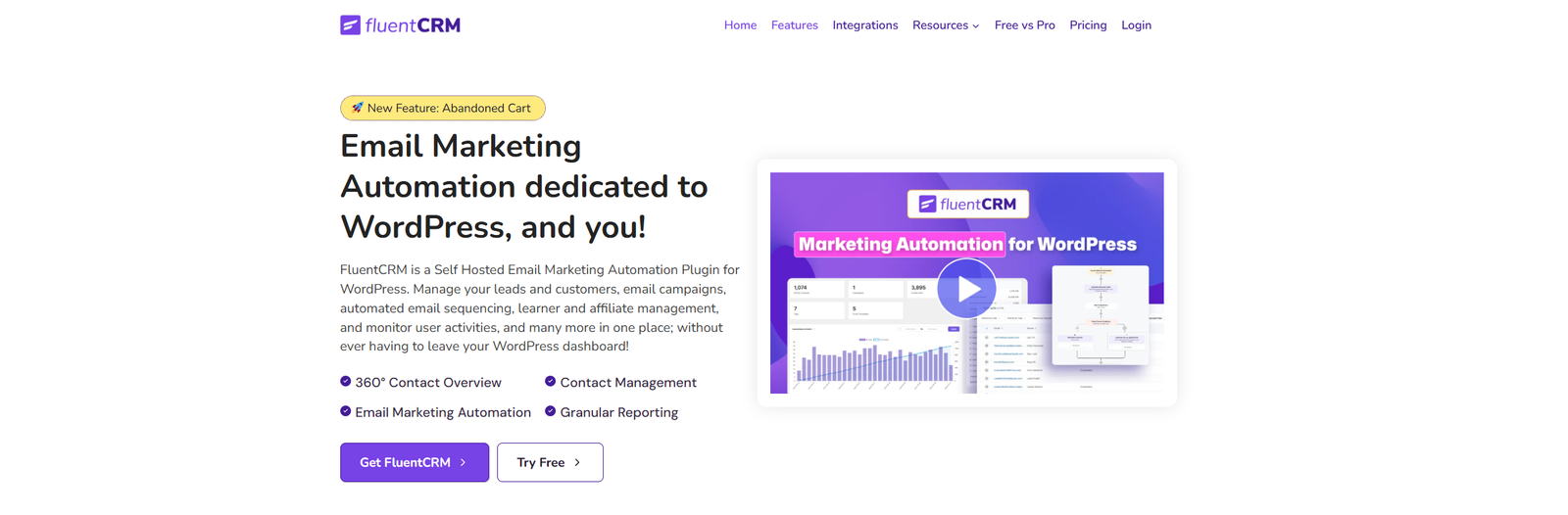
That’s where FluentCRM comes in — a free tool inside WordPress that helps you send newsletters without breaking the bank.
What Is FluentCRM? 🤔
FluentCRM is like having a smart robot inside your WordPress website.
It helps you collect emails from people who want to hear from you.
It lets you send newsletters to everyone at once.
It works without monthly fees (yay, more money for snacks 🍫).
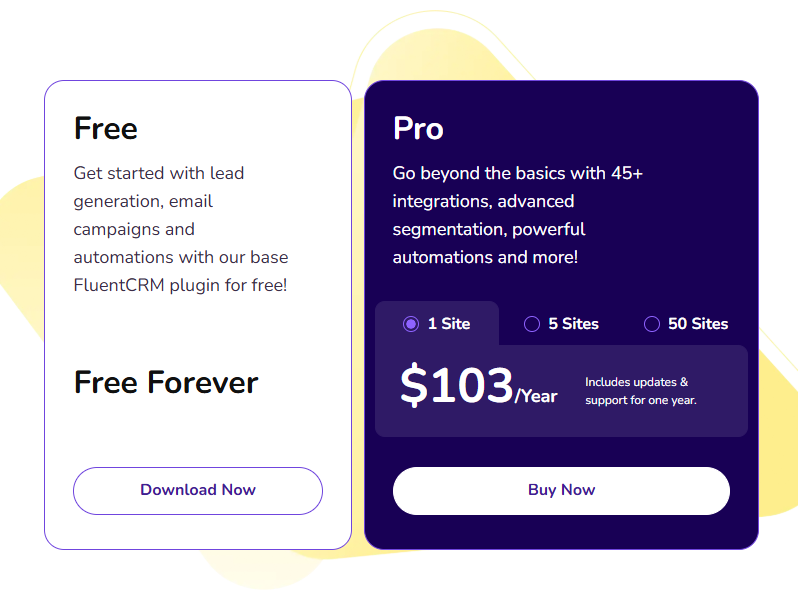
Pricing – Free and Optional Pro Version
Free version: Includes core features like contact management, email campaigns, and basic automations—forever, and free!
Pro version (paid): Adds advanced capabilities, more integrations, and premium support.
1 site: $103/year
5 sites: $199/year
50 sites: $399/yea
Most of the features like sending newsletters through this plugin are free. Findout what all are free and what all are paid here on their official website.
Why Is FluentCRM Better Than Mailchimp & other tools?
Here’s a simple table to explain:
Tool
Price (Monthly)
Lives in WordPress?
Who Controls It?
Mailchimp
Starts $13+
❌ No
They control it
MailerLite
Starts $10+
❌ No
They control it
AWeber
Starts $20+
❌ No
They control it
FluentCRM
$0 (Free) / One-time Pro
✅ Yes
YOU control it
Main Features
FluentCRM offers lots of super helpful tools, all inside your website:
360° Contact Overview – See everything about someone in one place.
Contact Management – Keep track of everyone who signs up.
Email Marketing Automation – Send messages automatically based on what people do.
Granular Reporting – Get detailed stats about how your emails are doing.
Integrations
FluentCRM connects with many popular WordPress tools—like WooCommerce, Fluent Forms, Elementor, LearnDash, MemberPress, and more. This means you can automate things automatically when someone buys something, fills a form, or joins a course.
Automation & Funnels
Automation: FluentCRM can send messages based on what your visitors do (like filling a form, buying something, etc.).
You can create “funnels”—a series of triggered emails and actions—to guide people step by step.
Dashboard Overview
When you open FluentCRM in WordPress, you’ll see:
How many contacts you have
Sent email campaigns
Emails delivered, tags, email templates
Your subscriber growth over time
Helpful shortcuts to common tasks
Reports & Analytics
FluentCRM shows lots of helpful stats:
CRM reports: See subscriber growth, campaign performance, and stats over time.
Campaign analytics: Check emails sent, opened, clicked, bounced, or unsubscribed.
Funnel performance: Track how people move through your funnels.
A/B testing: Try different subject lines to see which works better.
CTR (Click-Through Rate): Measure how often people click your links.
User activity tracking: See who interacts more and who needs a better message.
Why This Rocks for Freelancers & Creators?
It’s inside your own WordPress site—you don’t pay monthly to someone else.
You own all your data—better for privacy and data control.
Save money and work faster! Powerful features without constant fees.
The dashboard and setup are easy to learn—even for beginners.
1. Send Weekly Newsletters
Instead of paying Mailchimp, you can send updates, stories, or tips right from your WordPress dashboard.
2. Promote Your Services
Are you a designer, writer, or coach? Use FluentCRM to email clients about new services or discounts.
3. Build a Loyal Audience
If you’re a blogger or YouTuber, you can use FluentCRM to send updates when you post new content. It’s like tapping your readers on the shoulder and saying, “Hey, I made something new!”
4. Automate Like a Pro
Want to greet new subscribers with a welcome message? FluentCRM can automatically send them one, like saying: “Hi 👋, thanks for joining my list!”
How Much Can You Save?
Let’s do some quick math:
Mailchimp for 2,000 people → $39/month = $468/year 😱
FluentCRM for 2,000 people → FREE = $0/year
That’s like saving enough money to buy a brand-new laptop/phone every year.
How to Start With FluentCRM (In 3 Simple Steps)
Install FluentCRM plugin (it’s in the WordPress plugins library).
Connect an email sending service (like Amazon SES, which costs only pennies) or if you have your own email servers like Hostinger you can connect that with Fluent SMTP.
Start collecting emails with a signup form/ad campaigns and send your first newsletter.
One area where desi / Indian video editors suffer is Captions. in today’s speed cuts and busy life, everyone consume content in their own way.
But sometime having an earphone or sound clarity in busy traffic in Indian majority of cities is very difficult, this is where the captions play the key role. A person having basic reading skills and understanding of any Indian languages can read in his or her own mother tongue or any of Indian official languages like Hindi or English in a majority.
Creating captions is very difficult task to do them manually through editing tools like Premiere pro or Davinci, even though one achieve it, designing them or making them standout visually is challenging. And Indian freelancing market does not allow you to take more time for any creative task, Here they demand good work at the fastest time possible.
So here comes the role of online website where people generally go to generate captions for their edited videos.
There’re many great tools like Descript (One of my favorite tools till date), veed [dot] io, invideo, captions [dot] ai etc. But they are mostly paid, and using them for free most of the time comes with a watermark.
For a client video, which should be professional, sometime usually holding the client’s company logo, can never entertain to advertise any external website’s branding on it’s video and share it on social media, So generally editors use the captions by using some masking techniques, or cropping the video to some extent, to make the video look bit of compromised quality but keep the captions.
But now there’ll be no need to have such problems. India the 7th largest country in the world, has many languages, and using above tools doesn’t meet the demands. They’re pretty good in english but when it comes to Hindi or other Indian regional languages they lack that spark.
Here comes the new tool, I’ve used this tool personally and really impressed with the outcome, and the capabilities of this tool. By the way this is an unsponsored post, I’m writing this article with the only intention to make this tool usable by my fellow freelancing video editor brothers and sisters and make the earn a livelihood by using this tool.
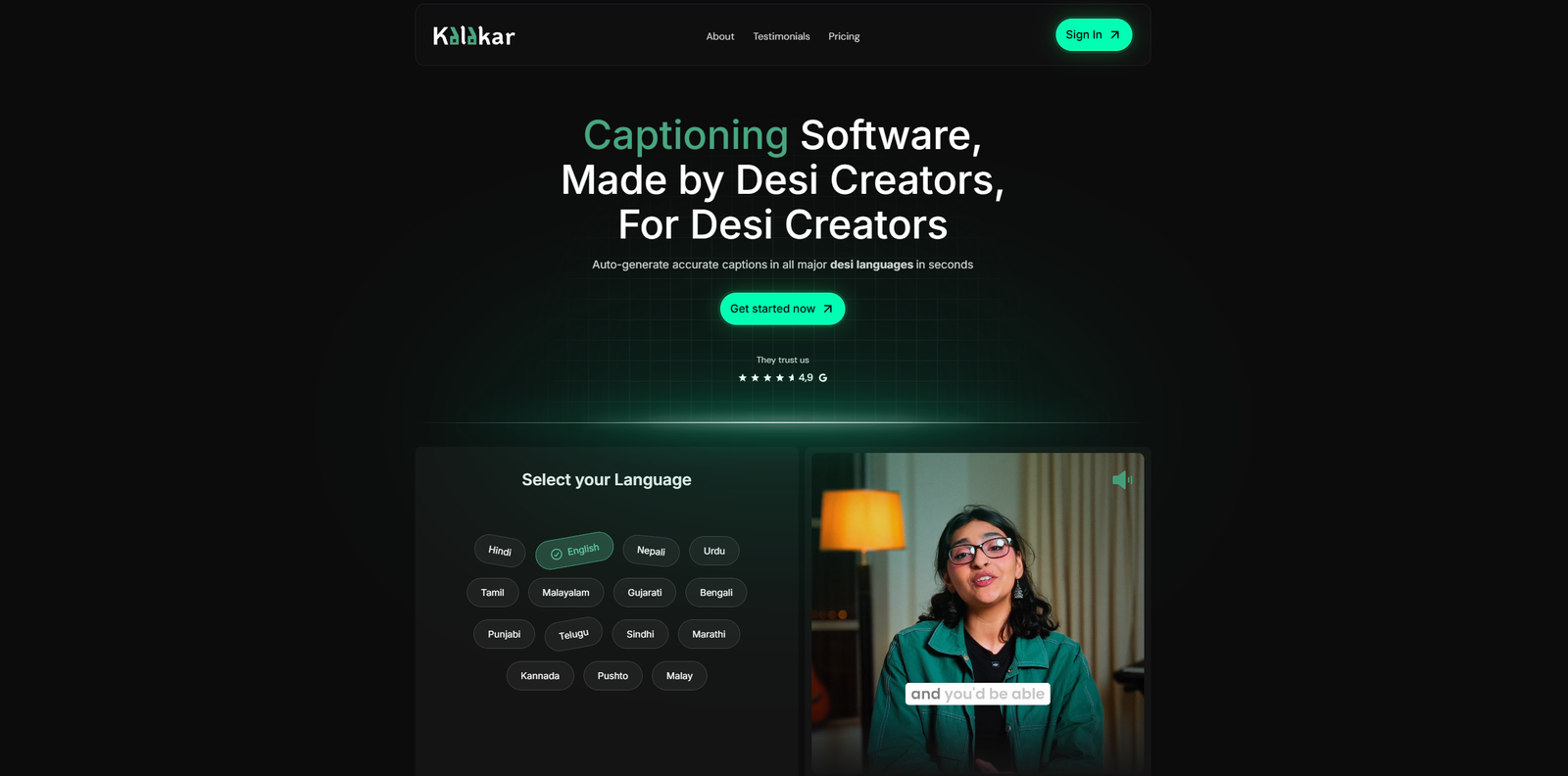
The tool is kalakar.io
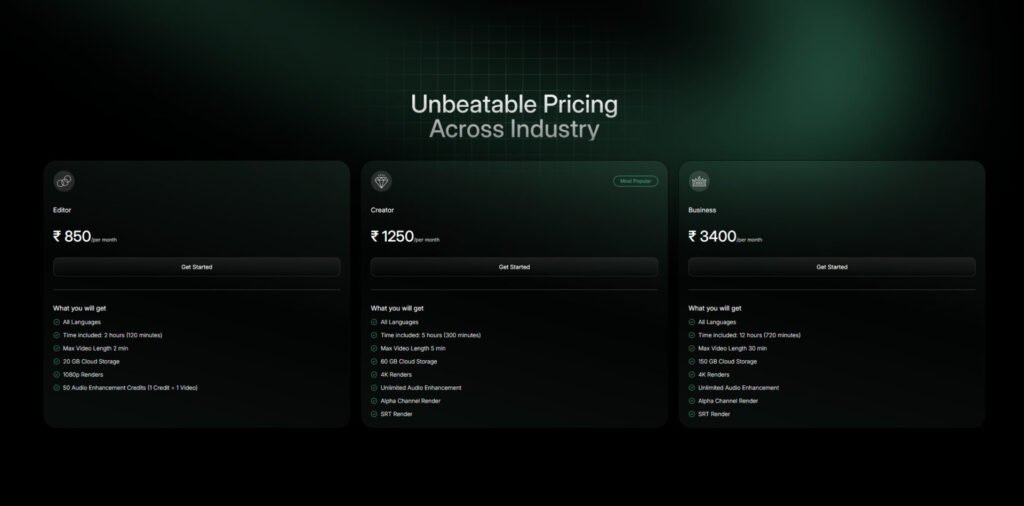
The best thing about this tool is their affordable plans…
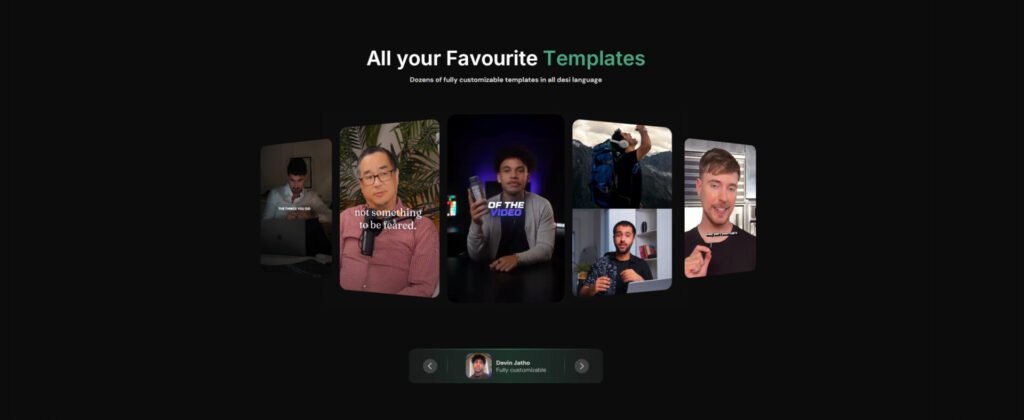
I tried to use their free plan, but when exporting the video i’s working is showing a popup to go with the editor plan at least, so I think 850 rupees per month for someone editing reels and YouTube videos every day and need captions in their video accurately with most trending templates like some ot the top content creators like Ali Abdal, Alex Hormozi, Iman Gadzhi, Mr. Beast, then I don’t think that there’s any other tool in the market that can do the job better than this.
So dear video editors, I would like you to try the tool and give your valuable feedback in the comments here! peace ✌️
ChatGPT Go is a new, low-cost subscription plan from OpenAI, and right now it’s only available in India. It costs just ₹399 per month, which is about $4.50–$5 USD. It’s cheaper than the usual Plus plan (₹1,999/month) and gives you a lot more power than the free version
Why ChatGPT Go gives more for your money
Here’s what you get:
10× more messages, image creations, and file uploads compared to the free version. That means more chatting, more pictures, and more documents you can work with!
Longer memory, so the AI remembers more of your chats—handy when working on big projects
Access to GPT‑5, OpenAI’s most advanced model—making responses faster, smarter, and more helpful
All Free‑plan features, like text chat, basic tools, plus extras like image generation, file uploads, data analysis tools, and the ability to organise tasks or projects and build custom mini‑bots (GPTs)
Payments are easy—it supports UPI apps like PhonePe, Google Pay, and Paytm, plus accepts credit and debit cards as well.
Why freelancers will love ChatGPT Go?
Big value at a small price – Just ₹399 gives you much more power than the free plan, perfect for solo workers saving every rupee.
Saves time & boosts creativity – Write faster, fix your words, build graphics, plan your day, answer client emails, all with one friendly AI.
Smart memory helps continuity – The AI remembers your past conversations, so you get a smoother, smarter experience across long projects.
Flexible and beginner-friendly tools – Need a simple image, file help, or task tracker? ChatGPT Go has them ready without paying for advanced stuff you don’t need.
Future-friendly and fair – Built on GPT‑5, it’s made to stay useful as it learns and improves, and it’s designed for growing markets like India
In short, ChatGPT Go is your budget‑friendly, super‑helpful AI assistant. It costs less than ₹400 a month, gives you way more access and smart tools than the free version, and works with easy Indian payment methods. It’s made for people like you—freelancers who want more done, faster, and for less.
Happy Friendship Day to all those friends who stood by me in all those difficult times at any point in my life. Who supported me on my journey through whatever they have, some guided me, some inspired me, some donated to me with money or blood, literally! And I’m grateful to you all!
As a longtime hardcore fanboy and user of WordPress, I’m a little sad with this platform.
Why amIcontinuing with this tool?
The dynamic functionality and customisation this tool offers is very robust. And as far as open source, the highest level of flexibility and control WordPress offers for no-code developers is highly unmatched with any other tools like Webflow or Framer.
Then what’s the problem?
The problem is the design roadblock. Yes, even though Elementor is the number one choice for wordpress developers to make their choice of design live, still this tool has many roadblocks. Their Editor v4 is still in the alpha stage since many months. You don’t even know whether they are going to make it live or not. even this alpha tool has many drawbacks, a lack of many functionalities and features. The basic website skeleton and CSS functionalities don’t work properly with Elementor.
I know there are other tools like Bricks Builder and others, but I’m not interested to learn other tool to do the same thing again and again. While Webflow and Framer no-code tools are growing popular among no code developers and designers, WordPress lacks the spirit to make this platform integrate with major functionalities built with it and make it grow stronger on par with other platforms.
Such a buggy experience makes some people just give this up. The debugging process sometime isn’t available for non coders or sometime not possible also. Making every other good feature or functionality paid in the form of a plugin, is a biggest drawback.
Custom fields or custom posts functionalities not being developed internally and available without any external struggle is another reason. Although there’s a infinite possibilities with this tool, the intention behind the makers or contributors of this tools doesn’t seem bright anywhere near the future.
So what’s the solution?
So instead of waiting for someone to solve this problem, I just have to update the tool that doesn’t fit my bucket anymore. I have decided all in to go for full-stack development. Yes, you heard it right, I’m going all in for learning the basics like HTML, CSS, JavaScript, Frontend libraries, frameworks, and backend frameworks, APIs, Github, authentications, database etc.
Yes, this will take time, may be a year or so, but I’ll achieve it, and gently make the switch to the code. Because I want freedom, freedom to choose my thing, my design, my functionalities, my pricing, freedom to have any functionalities I wish without the need to pay for anything.
AI tools like Cursor or Claude code will make things a lot easier and more efficient shortly. So this is what I feel at the end, WordPress will be there as my favourite tool to develop websites. I will keep waiting for WordPress to grow up, but will keep learning other coding platforms to come out as a full-stack developer soon.
Bro, if you’re using ChatGPT for every other task, inspiration, or reference, then you’re cooked and need to know about this. Humans are born to think differently, create something that has never existed or will never exist, something different, something unique, or something not that unique but presented differently with personal inputs. But this tool Chat GPT is making everything look, sound or feel similar.
If you’re in a field of creativity like me, as a designer or writer, you should take inspiration from real world, your surroundings, your observations, experiences and then put them into actions, but taking data from gpt and making something faster just to save time, you’re getting things done faster, I understand, but in the long run, as a human, you’ll be a slave of this tool, you even can’t go to toilet without asking permission from this tool. And this is not that far away!
AI isn’t just shaping the future—it’s rapidly changing the present. Whether you’re a designer, entrepreneur, content creator, or marketer, learning AI now will unlock creative opportunities, save you time, and help you stay ahead in your field.
Why Should You Start Learning AI?
Supercharge Your Creativity: AI tools can help generate ideas, improve designs, and assist with compelling storytelling.
Work Smarter, Not Harder: Automate routine tasks, streamline research, and make tedious projects quicker and more manageable.
Boost Your Impact: Utilise AI insights to enhance your digital marketing, website projects, and social content, resulting in increased leads, sales, and growth.
Stay Future-Proof: AI is now a must-have skill. Early adopters are gaining a competitive edge in every industry.
How Can You Get Started?
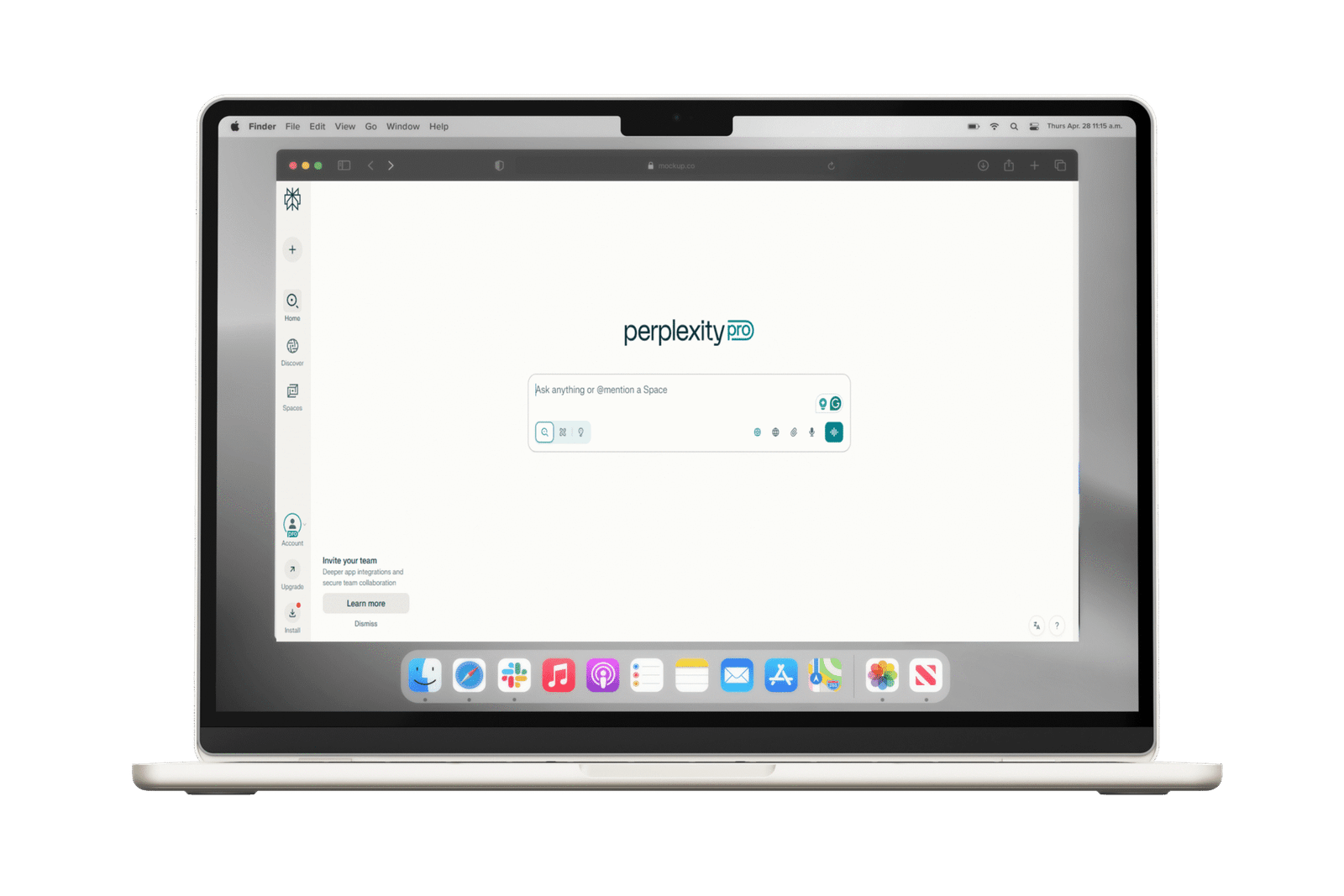
You don’t need to be a coder or a tech expert. Modern tools like Perplexity AI make AI accessible to everyone, no matter your skill level.
Explore instantly: Ask questions, brainstorm, generate content, and discover all the ways AI can help you in your work.
I use (and recommend) Perplexity AI for everything from design research to marketing strategies—it’s reliable, intuitive, and perfect for creative professionals and entrepreneurs alike.
Why perplexity?
By default, it includes all industry-standard AI tools like GPT, Gemini, Grok, and more
Direct, reliable answers with sources
Real-time, accurate information
User-friendly, clean, ad-free interface
Versatile for research, content creation, marketing, and academics
The Pro version offers advanced features
Maintains conversational context
No ads, only useful results
Transparent and trustworthy, cites sources
Ready to level up your skills and make the most of this AI revolution? Start exploring today!
If you have questions or want tips on using AI for your specific needs, reply—I’m here to help.