Author: Kailash

  • Global impact of AI on the Graphic Design Industry.

    Global impact of AI on the Graphic Design Industry.

    Artificial intelligence (AI) is rapidly changing many industries, and the field of graphic design is no exception. AI is already being used to automate certain tasks in the graphic design process, and it’s likely that it will continue to play a larger role in the industry in the coming years. Here’s a look at how AI is changing the landscape of graphic design and what it means for professionals in the field.

    One of the main ways that AI is being used in graphic design is through the development of design software that uses AI algorithms to create designs. These programs can analyze a client’s needs and preferences and then generate a variety of design options based on that information. This can be a huge time-saver for designers, who can then focus on the more creative aspects of the design process.

    Another way that AI is being used in graphic design is through the development of AI-powered design assistants. These assistants can help designers with tasks such as color matching, layout design, and even font selection. By using AI to automate these tasks, designers can spend more time on the creative aspects of their work, rather than getting bogged down in the details.

    One potential downside to the increasing use of AI in graphic design is that it may lead to job displacement for some professionals. However, it’s important to remember that AI is not meant to replace human designers, but rather to assist them in their work. In fact, many experts believe that AI will ultimately create new job opportunities in the graphic design industry, as designers will be able to focus on more high-level creative tasks, while AI handles the more routine tasks.

    In conclusion, AI is already starting to change the graphic design landscape, and it’s likely that it will continue to do so in the coming years. While there may be some disruptions to the industry, the overall trend is expected to be positive, with AI helping designers to be more efficient and effective in their work. As with any technological advancement, it’s essential for professionals in the field to stay up-to-date on the latest developments and to embrace the potential opportunities that AI presents.

  • You can increase the performance of your freelancing business with the help of these 5 m’s of business management

    You can increase the performance of your freelancing business with the help of these 5 m’s of business management

    5 M’s 

    The 5 M’s of Business Management are Man Power, Money, Machine, Material, and Method.

    Of course, these are very simple to understand, but understanding them very well is very much important.

    Man Power

    Freelancing is a man-based job. It can be a single individual or a team of individuals working as a single company to perform the tasks or complete the gigs.

    Without the manpower, there is no company, business, or freelancing. It can be possible in the future with the help of AI, but still then also manpower will play a key role to order and control the AI.

    Freelancing is not only a system or desk job. It can be anything, Starting from manufacturing, to design to architecture; but in this case, I am taking the example of a desk or system job.

    Every industry can have freelancers. Freelancers are the manpower of their own establishment or startup.

    Money

    Money Money Money… is the base before any beginning. If you want to hire, or purchase raw materials or machines or expand your business through marketing you need money.

    As oil is the fuel of a vehicle, similarly money is the fuel for a business; it can be any business, freelancing, or any traditional established business.

    I don’t need to explain it more because you know the importance of money much much better than me.

    Machine

    In freelancing Machine is your system or computer which you will use to perform the daily tasks. You know that no machine will work smoothly unless they are maintained on a regular basis. 

    Here in this case, if you are a designer or a creative professional, you must have a system or computer which can perform the heaviest tasks smoothly, and you must spend a good amount to purchase big storage and configure your machine in such a way that it will be easy to perform more significant tasks smoothly with it without creating any errors or freezing in the future.

    Like traditional machines, you have to keep it clean, upgrade it in a particular interval, and upgrade it with the latest technologies and pieces of equipment such as hardware.

    Material

    The material in freelancing is the softwares or platforms through which you are going to deliver your projects. You must be a master of those to make your tasker in a quicker and a beautiful way. If you are still using those old softwares to work on freelancing projects then remember that you are not fit to be a good freelancer. It is a task of efficiency, Your system must support the latest file formats, latest inventions, platforms, AI integrated softwares; if you don’t know how to use them then maybe temporarily you will get the work, but in the long run, to make more profit it would be hard for you to survive with the outdated materials or technology.

    Method

    The method is a dynamic system of inculcating everything to make your freelancing business overall successful. It starts with communicating with the client, planning, and executing the successful delivery of the project.

    Here it includes your professional skills as well as your interpersonal skills.

    Thank you, Stay tuned for more such delightful articles.

  • Never Dropout out of your college!

    Never Dropout out of your college!

    Nowadays many teenagers or the ones who are in college are thinking to drop out of their studies and go for a business or opening a startup.

    Please stop! Don’t do that.

    Dropping out is not a fashion. It’s an important decision. In 99% of the cases, a dropout always fails. Only a few peoples like Mark Zuckerberg like guys succeed in the long run.

    Graduating in our life is the most important thing. Because it’s not just about the degree alone. It’s about learning communication, networking, friendship, learning, and exploring.

    If you start your startup or business after your graduation, and if it fails, then you will never regret that because you have your degree which can help you get a worthy job.

    Education is very important. Even though your business potential is very much bright that doesn’t mean that you should leave studying.

    People in India leave education because of poverty, family responsibility, etc, But if you have nothing such things then you must continue your education.

    While you are in your teenage or 20s, then your top priority should be learning, and upskilling not focusing to start a business.

    I am not against dropping out but if you have a successful business and you’re really passionate about that like anything then please do so.

    Life will give you many opportunities to grow, expand or open your own business. Thank you.

  • “Hard work beats talent when talent doesn’t work hard.” (Proved Today!)

    “Hard work beats talent when talent doesn’t work hard.” (Proved Today!)

    I met Shafi today. He is a Chef. Generally, people in Andhra Pradesh call the chef as “master”, And he is a Dosa master.

    I have heard an interview with Tanikella Bharani about a story of a young steward in Bangkok.

    Please look at that video if you understand even a bit of Telugu.

    In the same way, I met Shafi master today at New Shankar Vilas hotel, in Pattabhipuram, Guntur, Andhra Pradesh.

    I have been staying in Andhra Pradesh since 2012. I have eaten more than thousands of Dosa. But this time it was very special.

    From a distance of the pickup counter after handing over my token I was watching Shafi doing a variety of Dosas near his workstation.

    That view can’t be described in words. He made one Ragi Dosa, One Utthapam, One Masala Dosa, and one plain dosa for me.

    Generally making Ragi Dosa is a very complicated task. If you don’t how it is made you can refer to some youtube videos. He made it in one second just taking a glass of Dosa Batter and poured on the iron platter or tawa, and Dosa was in a perfect circle shape.

    Coming to my Plain Dosa, generally, it takes at least 5 seconds to pour and round it with the hands to make it a circular shape, But this time Shafi took 2 seconds, He poured the batter then in a fraction of a second it’s ready in a circle shape, First I thought that he is doing just by using his hand but I was wrong. He was using a small plate like usually how others do.

    The taste was as good as the other Dosas I have eaten before, but the making of that dosa make a fan of Shafi. I got huge respect for him. After finishing it, I came near him and asked about his name and experience. He told me that He has an experience of 28 years.

    After listening to that I got to know that, it’s no wonder, he is not a magician, it’s purely his hard work and his persistent efforts for the last 28 years.

    I don’t know how you all are feeling but I got goosebumps after watching him making Dosas.

    I have been a student of hotel management. But in my lifetime I have never seen something like this. Bow down to you Chef!

    So in the end it’s proved that Hard work beats talent!

  • Two Best finance YouTubers in India whom I trust the most  in 2022

    Two Best finance YouTubers in India whom I trust the most in 2022

    After watching many Finance YouTubers who create finance content, We shortlisted two. One of them is raw and ruthless Pranjal Kamra and another person is cool and calm Asset Yogi!

    Pranjal Kamra

    finance YouTubers Pranjal Kamra
    Pranjal Kamra

    He is one of my personal favorites. Although his content is quite similar to other some of the creators like Ankur Warikoo, But still He wins my heart every time.

    He is a content creator, Founder of Finology, and an investor as well. He speaks about various modules of finance on his youtube channel. He creates content mainly on topics like investing, insurance, the stock market, personal finance, financial planning, entrepreneurship, business, etc.

    He is dedicated to value investing, you will find videos on value investing, stock analysis, and behavioral finance. Finology is here to help you in becoming a rational investor.

    He also talks about HR, Finance, and Startups as well.

    If you want to understand finance from the basics, and you know Hindi, then I can get that there is no one much better than him. Pranjal Kamra, who hails from Raipur, started his material production trip in 2017 with no video clip recording fundamentals.

    He made greater than 60 videos over 8 months and acquired a thousand customers on YouTube. Later on, he built his very own bootstrapped venture, Finology, which provides money, investment, supplies market-related training courses, and also supply research devices. Apart from having more than four million clients on YouTube, Kamra has actually a million registered individuals on Finology and uses a team of 40 people.

    Watch his youtube channel by clicking here.

    Asset Yogi

    Let’s come to the second person – Asset Yogi

    finance YouTubers Asset Yogi
    Asset Yogi

    AssetYogi is your full Finance Guide. Whatever about money, financial investments & services is clarified in the easiest way.

    Numerous topics are educated in colleges and universities so that we can make money. Yet sadly we have never ever instructed the topic of “Money”. We discover just after shedding cash.

    It doesn’t have to be by doing this. The objective of AssetYogi is to spread economic literacy in the language of the common man. On this network, you will get the best-in-class knowledge and devices that were just offered to corporates earlier. Allow’s discover, make, and also spread joy.

    Subscribe to our blogs to get notifications directly on your device!

  • 5 best budget laptops for graphic design in 2022

    5 best budget laptops for graphic design in 2022

    Hello in this article I will suggest the 5 best and budget laptops for graphic design. As a graphic designer, I have always preferred a PC or desktop over a laptop because they are bigger in size, can handle heavy tasks, they are affordable and durable as well.

    But somehow after some time, I got a requirement for laptops when I used to go out of my working place or tours, and when I suddenly get a project or idea to happen instantly at that point of time, because I have no PC I was clueless what to do.

    Then I decided to find the best budget laptops, which should be affordable, durable, easy to handle, less weight, and must perform heavy tasks other than graphic design such as video editing, animation, etc,

    With so much of options available in the market here are the top 5 best laptops for graphic design in 2022.

    1. HP Pavilion 14
    2. HP 15s
    3. HP Pavilion 14
    4. Acer Nitro 5
    5. Apple MacBook Air

    Okay fine so let’s understand what should be the specifications of a computer that is going to perform the daily tasks of graphic design.

    So, generally, I judge whether a PC is eligible or not for graphic design on the basis of three things: RAM, SSD Storage, and Processor.

    (best budget laptops for graphic design 2022)

    graphic design laptop requirements:

    RAM

    RAM ( Random Access Memory) must be at least around 8 GB so that the complex software can run smoothly. So here is the thing if you are good at video editing as well, you can do tasks with 8 GB RAM as well. You can run software like Adobe Photoshop, Illustrator, and Premiere Pro for your design and editing works with this much of RAM.

    But if you want to do some advanced stuff such as animation or 3d modeling, and rendering then I will suggest going for at least 16 GB RAM.

    SSD Storage

    I know that you must be thinking of why SSD, where we can get so much more storage with HDD or hard disks. Let me tell you this we are not going to perform the office tasks or run the office apps such as spreadsheets, it is a bloody serious thing and the design softwares and processes must be done faster.

    SSD or much better and faster than hard disks. Generally, the softwares in seconds with SSD whereas on hard disks the software can take up to a minute.

    Again I am telling you something bonus that use SSD to store your softwares as a local disk. and use another hard disk or external drive to store all your data for big project files or source files. As SSDs are a bit more expensive than hard disks.

    But if you can afford them then I will strongly recommend going for SSDs.

    Processor

    Processors are a crucial part of graphic design to be able to process the heavy softwares of Adobe as they generally depend upon the processor to be rendered fast rather than the graphic cards.

    I would recommend going for the processor at least which are more than 10th Gen. Today 12th Gen processors are also available in the market; If your budget supports then I would strongly recommend going for 12th Gen processors.

    Latest software updates require the latest technologies and outdated technologies crases and are not compatible with them.

    So if you want to run the modern softwares or updated technologies then I would strongly recommend opting for the latest generation processors in the market.

    hp laptop for graphic design:

    HP Pavilion 14

    q? encoding=UTF8&ASIN=B0B1M9HYBT&Format= SL250 &ID=AsinImage&MarketPlace=IN&ServiceVersion=20070822&WS=1&tag=thekailashc01 21&language=en INir?t=thekailashc01 21&language=en IN&l=li3&o=31&a=B0B1M9HYBT

    if we go to the market to buy a budget PC then it will cost us more than 1 lakh rupees but these options will cost you less than 1 lakh and the performance will be at its peak.

    Specificatons:

    RAM: 16 GB

    SSD Storage: 512 GB

    Processor: Intel Core i5 12th Gen

    Other Specificatons:

    Operating system: Windows 11 Home

    Processor: Intel® Core™ i5-1235U (up to 4.4 GHz with Intel® Turbo Boost Technology, 12 MB L3 cache, 10 cores, 12 threads)[6,7]

    Graphics: Integrated Intel® Iris® Xᵉ Graphics

    Display: 14″ diagonal, FHD (1920 x 1080), IPS, micro-edge, BrightView, 250 nits, 45% NTSC

    Display brightness: 250 nits

    Display color gamut: 45% NTSC

    Fingerprint reader: Fingerprint reader not available

    Memory: 16 GB DDR4-3200 MHz RAM (2 x 8 GB)

    Storage: 256 GB PCIe® NVMe™ M.2 SSD

    Optical drive: Optical drive not included

    Wireless technology: MediaTek Wi-Fi 6 MT7921 (2×2) and Bluetooth® 5.2 combo (Supporting Gigabit data rate)

    Power supply: 65 W Smart AC power adapter

    Battery: 3-cell, 43 Wh Li-ion polymer

    Battery life: Up to 7 hours and 45 minutes[3]

    Video Playback Battery Life: Up to 10 hours and 15 minutes[10]

    Battery Recharge Time: Supports battery fast charge: approximately 50% in 30 minutes[5]

    External I/O Ports: 1 SuperSpeed USB Type-C® 10Gbps signaling rate (USB Power Delivery, DisplayPort™ 1.4, HP Sleep and Charge); 2 SuperSpeed USB Type-A 5Gbps signaling rate; 1 HDMI 2.1; 1 AC smart pin; 1 headphone/microphone combo[19]

    Energy efficiency: EPEAT® Silver registered

    Webcam: HP Wide Vision 720p HD camera with temporal noise reduction and integrated dual array digital microphones

    Audio: Audio by B&O; Dual speakers; HP Audio Boost

    Color: Natural silver aluminum

    Pointing device: HP Imagepad with multi-touch gesture support; Precision Touchpad Support

    Keyboard: Full-size, backlit, natural silver keyboard

    Dimensions (W X D X H): 12.8 x 8.53 x 0.67 in

    Weight: 3.11 lb

    Warranty: 1-year limited hardware warranty. Additional information available at www.support.hp.com; 1-year limited technical support for software and initial setup (from date of purchase)

    Security management: Trusted Platform Module (Firmware TPM) support

    HP 15s

    q? encoding=UTF8&ASIN=B09RZRF1PJ&Format= SL250 &ID=AsinImage&MarketPlace=IN&ServiceVersion=20070822&WS=1&tag=thekailashc01 21&language=en INir?t=thekailashc01 21&language=en IN&l=li3&o=31&a=B09RZRF1PJ

    Specificatons:

    RAM: 8 GB

    SSD Storage: 512 GB

    Processor: AMD Ryzen 5

    Other Specifications:

    • AMD Ryzen™ 5 processor
    • Windows 11 Home
    • 39.6 cm (15.6″) diagonal, FHD (1920 x 1080), micro-edge, anti-glare, 250 nits, 45% NTSC
    • 8 GB DDR4-3200 MHz RAM (1 x 8 GB)
    • 512 GB PCIe® NVMe™ M.2 SSD
    • Power through your day
    • AMD Radeon™ Graphics
    • 1 SuperSpeed USB Type-C® 5Gbps signaling rate; 2 SuperSpeed USB Type-A 5Gbps signaling rate; 1 HDMI 1.4b; 1 AC smart pin; 1 headphone/microphone combo
    • Up to 9 hours and 30 minutes
    • 1 year (1/1/1) limited warranty includes 1 year of parts and labor. On-site repair. Terms and conditions vary by country. Certain restrictions and exclusions apply.

    budget laptops for graphic design:

    HP Pavilion 14

    q? encoding=UTF8&ASIN=B09V1GMW72&Format= SL250 &ID=AsinImage&MarketPlace=IN&ServiceVersion=20070822&WS=1&tag=thekailashc01 21&language=en INir?t=thekailashc01 21&language=en IN&l=li3&o=31&a=B09V1GMW72

    Specifications:

    RAM: 8 GB

    SSD Storage: 512 GB

    Processor: AMD Ryzen 5-5625U

    Other Specifications:

    • AMD Ryzen™ 5 processor
    • Windows 11 Home
    • 8 GB DDR4-3200 MHz RAM (2 x 4 GB)
    • 512 GB PCIe® NVMe™ M.2 SSD
    • A sleek laptop built for amazing entertainment
    • AMD Radeon™ Graphics
    • 1 SuperSpeed USB Type-C® 10Gbps signaling rate (USB Power Delivery, DisplayPort™ 1.4, HP Sleep and Charge); 2 SuperSpeed USB Type-A 5Gbps signaling rate; 1 HDMI 2.1; 1 AC smart pin; 1 headphone/microphone combo
    • Up to 10 hours and 15 minutes
    • 1 year (1/1/1) limited warranty includes 1 year of parts and labor. On-site repair. Terms and conditions vary by country. Certain restrictions and exclusions apply.
    • this is the best budget laptop for graphic design

    Acer Nitro 5

    q? encoding=UTF8&ASIN=B09X7SXPKC&Format= SL250 &ID=AsinImage&MarketPlace=IN&ServiceVersion=20070822&WS=1&tag=thekailashc01 21&language=en INir?t=thekailashc01 21&language=en IN&l=li3&o=31&a=B09X7SXPKC

    Specifications:

    RAM: 8 GB

    SSD Storage: 512 GB

    Processor: 11th Gen Intel Core i5

    Other Specifications:

    Operating System: Windows 10 Home

    Processor: Intel®

    Processor Type: Core™ i5

    Processor Model: i5-11400H

    Processor Speed: 2.70 GHz

    Processor Core: Hexa-core (6 Core™)

    Display & Graphics: Graphics Controller Manufacturer

    NVIDIA®: Graphics Controller Model GeForce® RTX™ 3050Ti

    Graphics Memory Capacity: 4 GB

    Graphics Memory Technology: GDDR6

    Graphics Memory Accessibility: Dedicated

    GPU Boost Clock: Up to 1485 MHz

    Maximum Graphics Power: Up to 70 W

    Screen Size: 39.6 cm (15.6″)

    Display Screen Type: LCD

    Display Screen Technology: ComfyView In-plane Switching (IPS) Technology

    Screen Mode: Full HD

    Backlight Technology: LED

    Screen Resolution: 1920 x 1080

    Standard Refresh Rate: 144 Hz

    Memory Card Reader: No

    Storage: Solid State Drive

    Configuration: 1 x 512GB

    Total Solid State Drive Capacity: 512 GB

    Optical Drive Type: No

    Network & Communication: Wireless LAN Standard IEEE 802.11 a/b/g/n/ac/ax

    Ethernet Technology: Gigabit Ethernet

    Bluetooth Standard: Bluetooth 5.1

    Microphone: Yes

    Finger Print Reader: No

    HDMI: Yes

    Number of HDMI Outputs: 1

    Number of USB 3.2 Gen 1 Type-A Ports: 2

    Number of USB 3.2 Gen 2 Type-A Ports: 1

    Number of USB 3.2 Gen 2 Type-C Ports: 1

    Total Number of USB Ports: 4

    USB Type-C: Yes

    USB Type-C Port: USB 3.2 Gen 2 (up to 10 Gbps)

    Network (RJ-45): Yes

    Operating System: Windows 10 Home

    Operating System Architecture: 64-bit

    Pointing Device Type: TouchPad

    Keyboard: Yes

    Keyboard Backlight: Yes

    TouchPad Features: Multi-touch Gesture

    Number of Cells: 4-cell

    Battery Chemistry: Lithium Ion (Li-Ion)

    Maximum Battery Run Time: 8 Hours

    Power Description: Maximum Power Supply Wattage: 180 W

    Height: 23.90 mm

    Width: 363.4 mm

    Depth: 255 mm

    Weight (Approximate): 2.30 kg

    What laptops do graphic designers need?

    Apple MacBook Pro

    q? encoding=UTF8&ASIN=B08N5WRWNW&Format= SL250 &ID=AsinImage&MarketPlace=IN&ServiceVersion=20070822&WS=1&tag=thekailashc01 21&language=en INir?t=thekailashc01 21&language=en IN&l=li3&o=31&a=B08N5WRWNW

    best laptop for graphic design 2022

    Specifications:

    RAM: 8 GB

    SSD Storage: 512 GB

    Processor: Apple-designed M1 chip

    Why buy Apple MacBook Pro (MYD92HN/A) M1 Chip macOS Big Sur Laptop

    Other Specifications:

    • Apple M1 Chip Processor enables you to use it with ease
    • 13.3-inch Retina Display enables you to view every content with perfect clarity
    • 512GB SSD helps you to store all your files, videos, pictures, games, etc
    • 8GB RAM Performance empowers you to multitask without any fear of lagging and works smoothly.

    Use the Apple MacBook Pro (MYD92HN/A) M1 Chip macOS Big Sur Laptop has set standards in computing thanks to its Apple M1 chip Processor. It has an 8-Core CPU with 4 performance cores and 4 efficiency cores, 8-core GPU, and 16-core Neural Engine.

    The processor variant is Big Sur. The superbly fast processor takes your productivity, creativity, and gaming to a whole new level and never lets you slow down so that the quality and quantity of your work are never compromised.

    The 8GB RAM (Unified Memory) makes sure you can multitask between different tabs providing you with lightning-fast responsiveness for an amazing user experience. It gives you a delightful gaming experience. This MacBook is full of amazing specifications.

    This MacBook is an extremely convenient choice for modern tech-oriented people. Built-in 58.2-watt-hour lithium-polymer battery. It offers up to 17 hours of wireless web, and up to 20 hours of Apple TV app movie playback. Comes with 61 Watt USB-C Power Adapter. Has Backlit Magic Keyboard. Comes with Touch Bar, Touch ID sensor, and Ambient light sensor.

    Force Touch trackpad for precise cursor control and pressure-sensing capabilities; enables Force clicks, accelerators, pressure-sensitive drawing, and Multi-Touch gestures. Equipped with a 720p FaceTime HD camera. Comes with Stereo speakers with a high dynamic range. Offers wide stereo sound. Support for Dolby Atmos playback. Has studio-quality three-mic array with directional beamforming, and a 0.35 cm headphone jack.

    Buy Apple MacBook Pro (MYD92HN/A) M1 Chip macOS Big Sur Laptop and get to experience its awesome features. Now, ensure your efficiency levels are on point with a powerful MacBook. It blends together functionality with style packing in an awesome look with efficient performance.

    The macOS Big Sur operating system and powerful Processor help you perform your regular activities along with fun games. It has a powerful storage capacity and efficient RAM which lets you store a huge amount of important data and enjoy lag-free operation respectively. The 13.3-inch Retina display allows you to enjoy watching videos and playing games a more enjoyable experience.

    If you get Apple MacBook Pro (MYD92HN/A) M1 Chip macOS Big Sur Laptop online, you also get an awesome companion for your everyday use. With the huge amount of workload and data involved in today’s world, it may get difficult at times to keep all data safe for current or future use stored due to average storage capacities.

    It comes with a serious storage capacity which helps you to save your contents. It has a 512GB SSD to make it more efficient and productive which lets you store your important official data and videos, songs, and photos for your leisure. Play like a pro and watch movies on this laptop for experiencing a first-class audio and visual experience where the quality of your entertainment is not compromised. Enjoy watching videos and viewing photos like never before with the 13.3-inch (diagonal) LED-backlit display with IPS technology which ensures you never miss out on a detail. The resolution is 2560 x 1600 pixels native resolution at 227 pixels per inch with support for millions of colors.

    budget laptops for graphic design are very hard to find, but I am sure that you have to put at least this much of amount for a laptop with which you want to do the graphic design tasks.

    If you want to know more about graphics cards know here.

    Get the best design software adobe photoshop here.

    Read more such interesting blogs here!.

  • How to become a graphic designer

    How to become a graphic designer

    Hello! let’s discuss, How to become a graphic designer?

    I am kailash, I started graphic designing a couple of years ago as a passion or hobby. But gradually I discovered it’s the best career choice or profession in the 21st century.

    On average in India, a graphic designer with a minimum of 1 year of experience can earn around 3 lakhs per annum in hand as salary, or if he starts freelancing, then the sky is the limit!

    Here I will provide the best of my knowledge and experience that how if you have a passion for working with computers, and adobe creative cloud software like photoshop and illustrator, you can become a great graphic designer.

    Introduction

    Graphic design is nothing but visual communication. A graphic designer tries to sell a product or tells a story with the help of visual graphics such as banners, pamphlets, brochures, magazines, social media posts, display ads, sometimes motion banners, etc.

    Generally, visual design means the right usage of space, size, colors, fonts, content, images, shapes, vectors, icons, etc.

    graphic design

    Opportunities

    I can see that graphic design can become a stepping stone to many advanced professions such as filmmaking, art design, Animation, Video Editing, Motion Graphics, UI UX design, Web Design, App Design, Photo Editing, and composition, multimedia professional, publication or DTP designer, etc.

    grpahic designer

    Scope

    After the boom of the internet or Jio revolution in India, graphic design is the most sought-after skill for many business models, It may be a traditional business or a digital business, That is what attracts more individuals to pursue this career as it is easy to learn and get an opportunity with a decent income source.

    How can you become a graphic designer

    Learn the fundamentals of design

    First, if you want to pursue design as a career option, then any design whether it’s graphic design, UI UX design, or web design you must have a basic fundamental understanding of design. Like how color works, how the fonts are used to show an emotion, what are the sizes fo various design layouts, and What should be the structure of various design concepts.

    graphic design principles

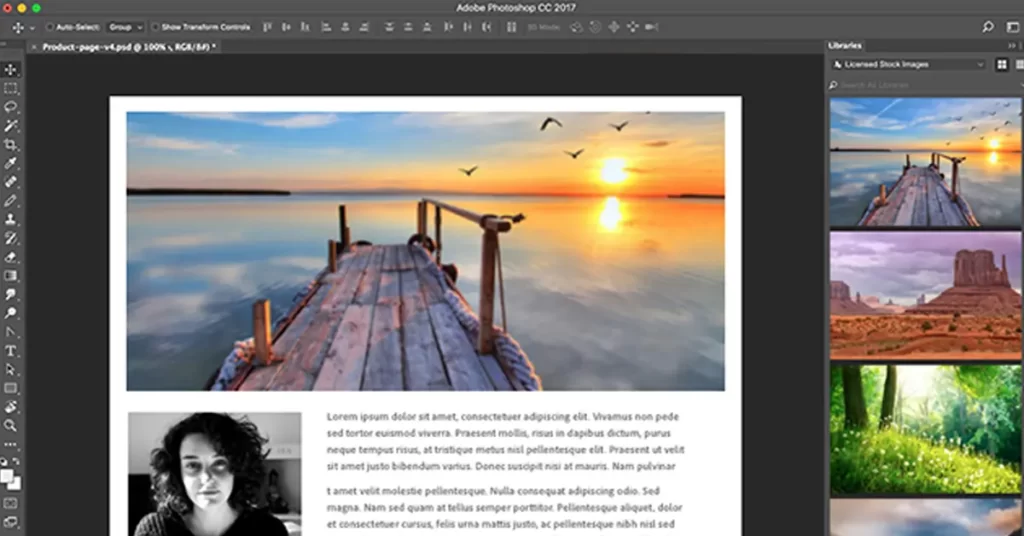
    You should also learn various design software like Adobe Photoshop or Adobe Illustrator. Because these software are the industry standard and universal, No matter which industry you will work upon but these tools are going to remain the same.

    adobe creative cloud

    Enroll in a design course or tutorials

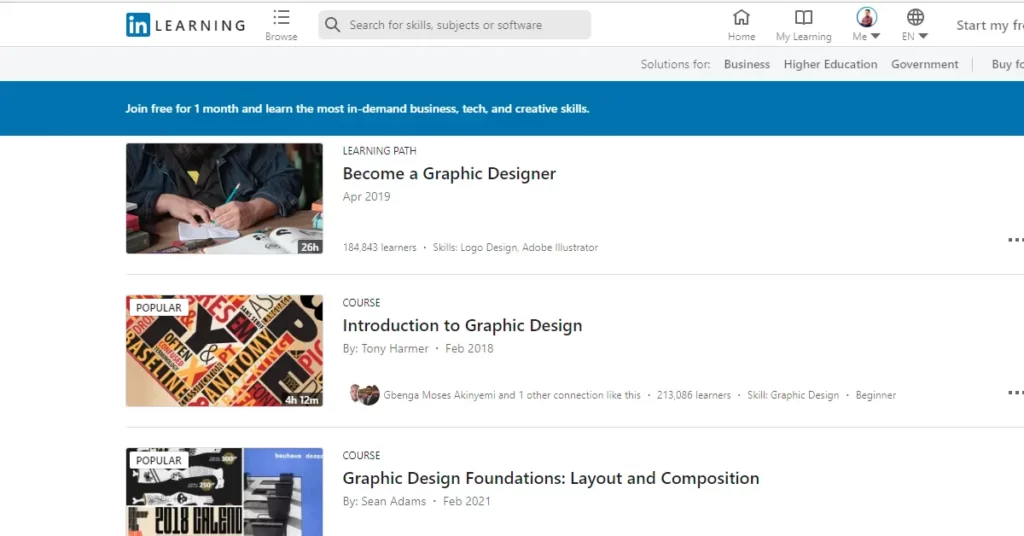
    Yes, on your own if you start learning, then it will take you almost around 1 year to learn the fundamentals but if you pursue a course, then you can learn things very fast. I am not saying that you should take admission to a fancy college, or university and do a degree, that’s totally bullshit, not worth it at all, where you can learn things online, as there are various platforms like LinkedIn learning, skillshare, udemy, etc, where you can start learning with just a few hundred of rupees and get certified as well.

    Linkedin learning
    Linked Learning Platform
    skillshare graphic design screen
    skillshare learning platform
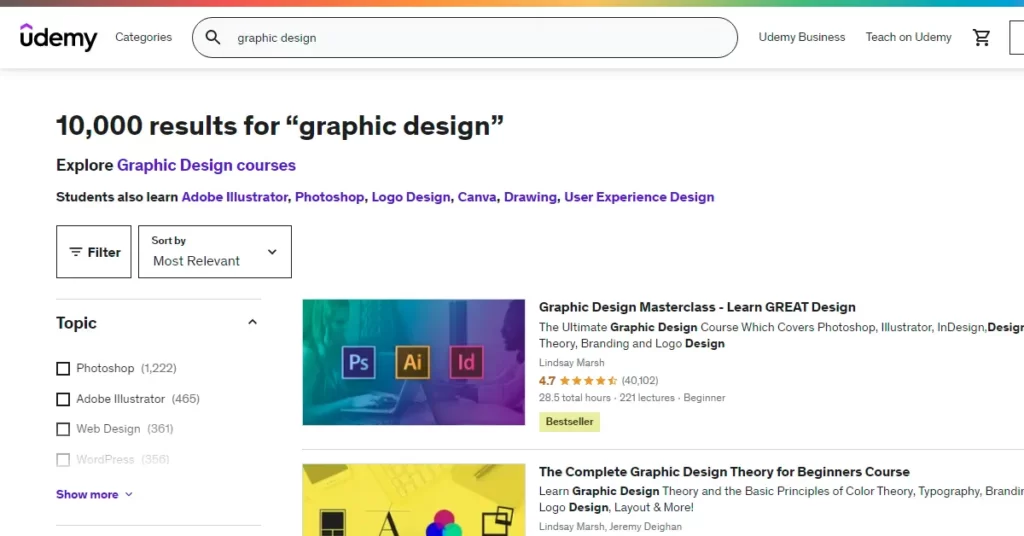
    udemy
    Udemy

    Remember that the company where you will join as a graphic designer is not going to look for your graphic design certificate, they are going to judge you on the basis of your skill set and design experience or portfolio, that’s it.

    Another thing is that you can learn everything for free on YouTube if you are really desperate about learning graphic design and have no money, there are various channels like gfx mentor, Rajeev Mehta, where you can learn graphic design very easily.

    The key thing is how many things you implement after learning like you have to learn a lot, and practice, design a lot as well. Then you can master the field of graphic design.

    Because if I tell you my experience and career graph, I started learning on YouTube by watching videos of Rajeev Mehta, and a couple of other foreign YouTubers and started practicing daily.

    I have designed literally thousands of designs to date, and still figuring out how to make a difference through my design every single day.

    Learn Key graphic design tools

    Graphic designers use a range of tools to design. the most common tool is the adobe creative cloud tool, where you can learn, adobe photoshop, adobe illustrator, and adobe InDesign as the majority of your work will require these tools in the future.

    Caution: Stay away from tools like Canva and Crello, where readymade templates are available to design things.

    Practice and design your own projects

    Most importantly, this is the thing that matters a lot!

    but how will you do that?

    Here comes the role of websites like Behance, Dribbble, and Pinterest, where you can find the design inspiration and practice those designs on your computer with industry-standard tools.

    Create mockups, logos, and designs, and look at the freelancers, and companies like how they are working and what are the design trends going on. Because every year design trends change, and you have to also acquire those trends in order to stay in the trends, or else you will be outdated.

    Build a portfolio to showcase your work

    Here you have to showcase your work to the audience or your potential clients or employers. For that, a portfolio is the most important thing that must have.

    A strong portfolio can make or break your career.

    Here it doesn’t matter how many projects you have designed to date but how you designed them. Here the quality matters rather than the quantity.

    To showcase your work you can use Instagram, you can launch your own portfolio website, can create a brochure that could contain all of your best works to date, or you can simply create your own Behance or Dribbble profile, where the potential buyer can go and watch at your designs.

    What are the different type of graphic designers?

    There are basically three types of graphic designers.

    • Inhouse graphic designers
    • Agency graphic designers
    • freelance graphic designers

    Inhouse graphic designers

    They generally work under a particular established or registered brand or business or company and work from them on a salary basis. Generally, they work as a creative team with other creative professionals, They are completely focused on building the brand image for the company in which they are working.

    Agency graphic designers

    This kind of graphic designer generally work for a PR agency or digital marketing agency and work for various kind of clients on a daily basis, they deal with them, get their work done before the due date, submit the design and take reviews and feedback from them. I am also an agency graphic designer but still working as a freelance graphic designer as well.

    Freelance Graphic Designers

    They are self-employed. They work from home or corner of the world. They earn more than an employed graphic designer, but sometimes they earn nothing if they don’t have any work.

    Here they could have a hectic schedule because they have to find the clients, work, and deliver them all alone.

    Does the graphic design require drawing skills?

    The answer is sometimes. But if you want to become an illustrator or logo designer, then yes having a drawing skill could be beneficial, but drawing could be basic like drawing wireframes or layouts, that’s it. Because most of your work is going to happen with the tools or software.

    Can graphic design be learned at home without going to an institution and taking tests?

    The answer is a big yes! I have learned graphic design at my home during the lockdown due to covid 19 pandemic outbreak, where I lost my existing office admin job and become unemployed. You can become a great designer even if you learn at home at your own pace and time, you could refer to watching youtube tutorials or other great online platforms like udemy, LinkedIn learning, skillshare, etc.

    If I learn Coreldraw well, do I still have to learn Photoshop and Illustrator to become a graphic designer?

    The answer is definitely yes. Photoshop and illustrator are industry-standard software that could never be replaced. Mostly CorelDraw is used in print design, but it is not widely popular in the design industry. it is a vector-based program wherein you can design logos, vectors, and icons but not graphics, whereas Photoshop, is still the king.

    Where can I see graphic design in the world every day?

    You can see the best graphic design work on the sites like Behance and dribble, where the designers post all of their recent works and you could get inspired by them.

    If I have a degree in product design, can I still pursue a graphic design career?

    Yes, your product design knowledge could help you learn things faster.

    How can I pursue my interest in graphics design if I am still a child?

    Let’s assume that you are in school, then first start learning computer, basic design principles, and the common tools like photoshop and illustrator, who knows by the end of completing your 12th you can be the next big graphic designer of your age!

    Where can I learn graphic design in my spare time?

    I would suggest watching youtube tutorials, reading popular graphic design blogs, and following Behance or dibble is more than enough.

    How do I become a graphic designer when I already have an electrical engineering degree?

    There is no relation between electrical engineering and graphic design. You have to start learning the fundamentals from the beginning.

    Is graphic designing hard?

    Yes, it is hard unless or until you learn and practice it properly.

    How can you become a freelance graphic designer?

    Whatever kind of designer you want to be, the most common thing is that you have to learn a lot.

  • why drop caps are used in document

    why drop caps are used in document

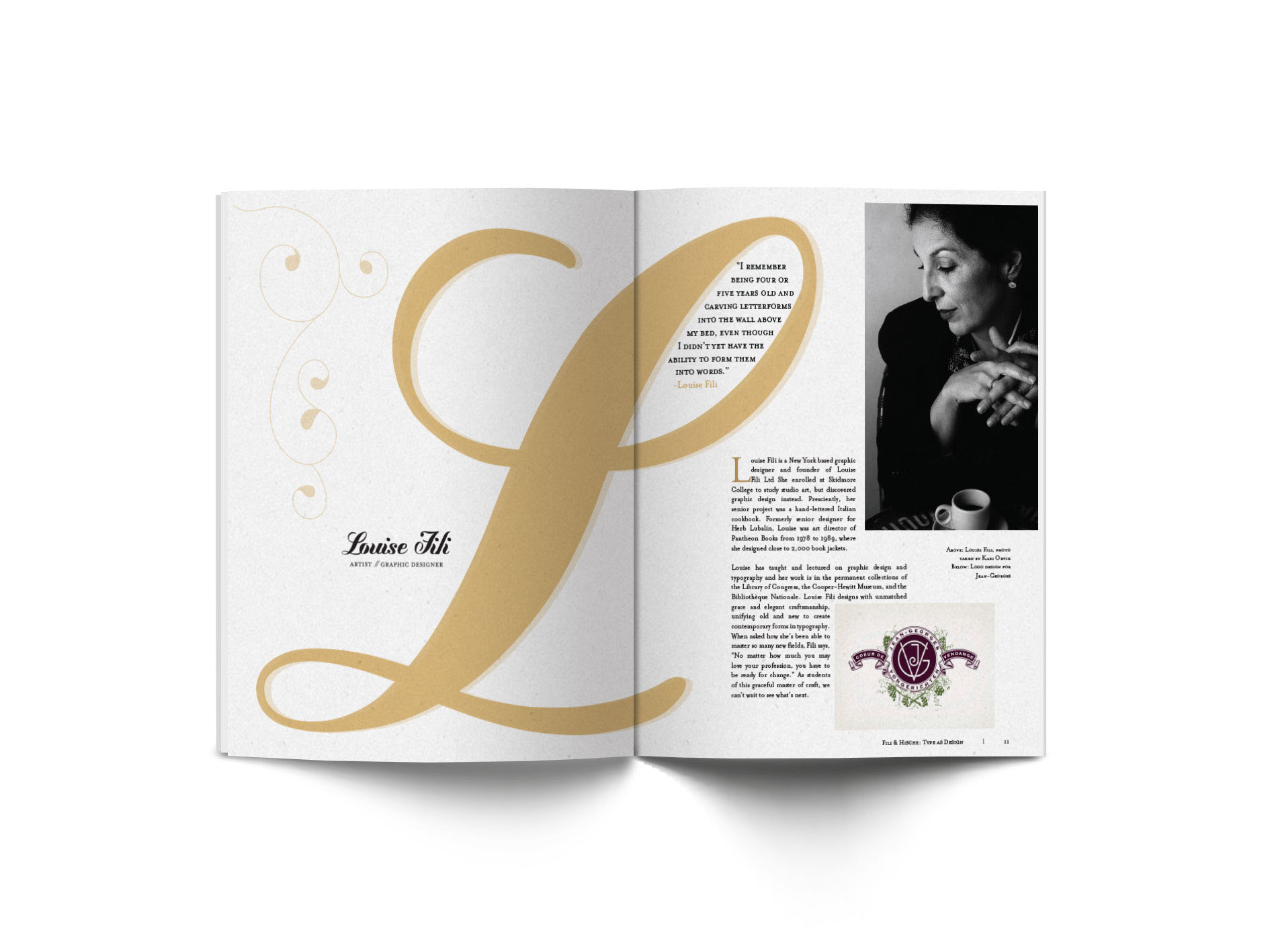
    A drop cap is when the initial character of the first paragraph is made larger, taking up multiple lines of text or the first several words. This is done in order to emphasize the beginning of the paragraph. There are many different kinds of media that make use of drop caps, such as books, newspaper articles, documents, and web pages. The use of drop caps can either add style or draw the attention of the reader.

    Below are some examples of drop cap:

    drop cap
    drop caps
    5dd69433923256.56bcde62a0563