
A blog post compares two ways to pay pending traffic challans in India. The author discovered old challans via a WhatsApp message from Vehicle info, a third-party website that uses government APIs but adds platform, legal, and GST fees, raising the total significantly.
The author recommends the official government portal, echallan.parivahan.gov.in, for paying without extra charges, despite its outdated interface. Vehicle info is faster and mobile-friendly but costs more, making the government site the better option for those willing to navigate it.
One day I got a WhatsApp message from Vehicle info (vehicleinfo.app), saying that I’ve challans due to pay.

This is really beneficial because whenever I checked in the M-Parivahan app, it showed no challans due, But after getting this message, when I logged in to the portal of echallan.parivahan.gov.in/ and entered my vehicle details, there I saw the challans on my vehicle which are two years older, and all are charged for the same reason: stop line violation.
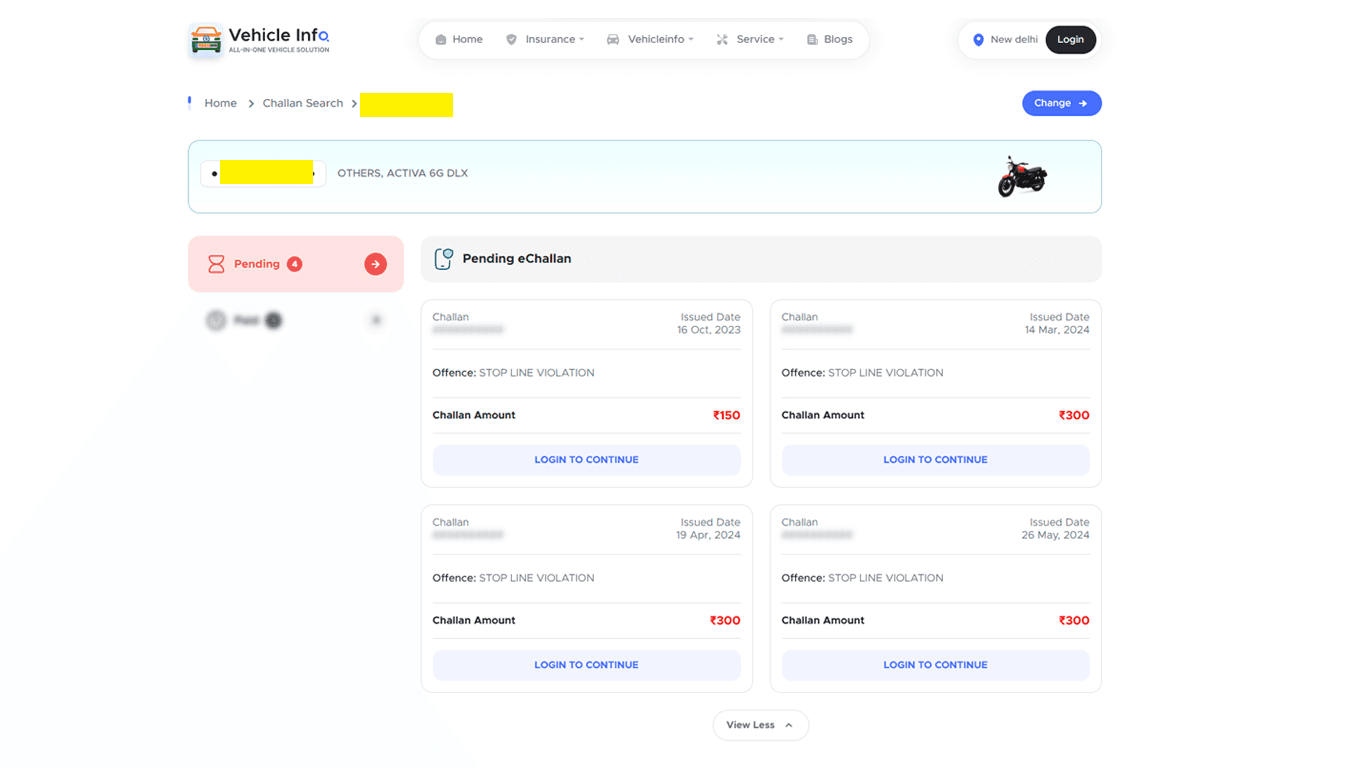
Now If you see there’s a button in this whatsapp mesage to Check Now, So when I clicked it took me to Vehicle info website not the official government website, I think they’re using the goverment APIs to fetch the data.

So, after clicking on the link I landed here, the website of vehicle info (not the government’s official website). There I saw the same details of challans as I saw in the government website as well.
The good thing about Vehicle info is ease of use. the user experience on their website is faster and modern with modern payment systems. But at what cost?
This surprised me at the end!
When I logged in with my mobile and proceed for the payment what did I see, my challans nearly doubled, But it’s not my challans, it’s their platform fees.

You can see here the total challan amount is around 1050 rupees, where the final payment is 1706 rupees, where they added 650 additional rupees as platform fee, legal fee and gst for that.
and let me tell you you can pay here as well. Nothing wrong here as well, Just that the amount gets way more higher.
So what I did?
I logged into the government website again.
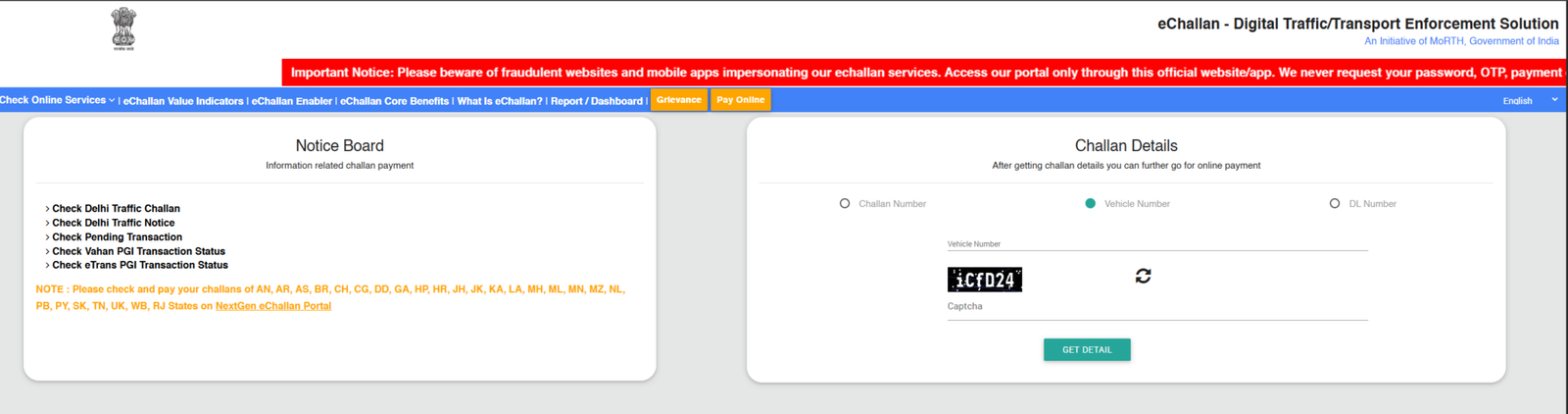
yeah, and the user experience is pathetic, and really frustrating in the mobile. It took me a while to figureout the things. But in desktop it’s easier.
Just enter your vehicle details, add the captcha, and login and you’ll see all the pending challans, and you can pay them through UPI, net banking or cards without any single extra payment, it’ll ask to you enter your mobile number and enter the OTP, after that you’ve to select the checkmark and continue for payment.
There’ll be a step where it’ll ask to enter your GSTIN details just close that section by clicking on cross icon, and continue for online payment.
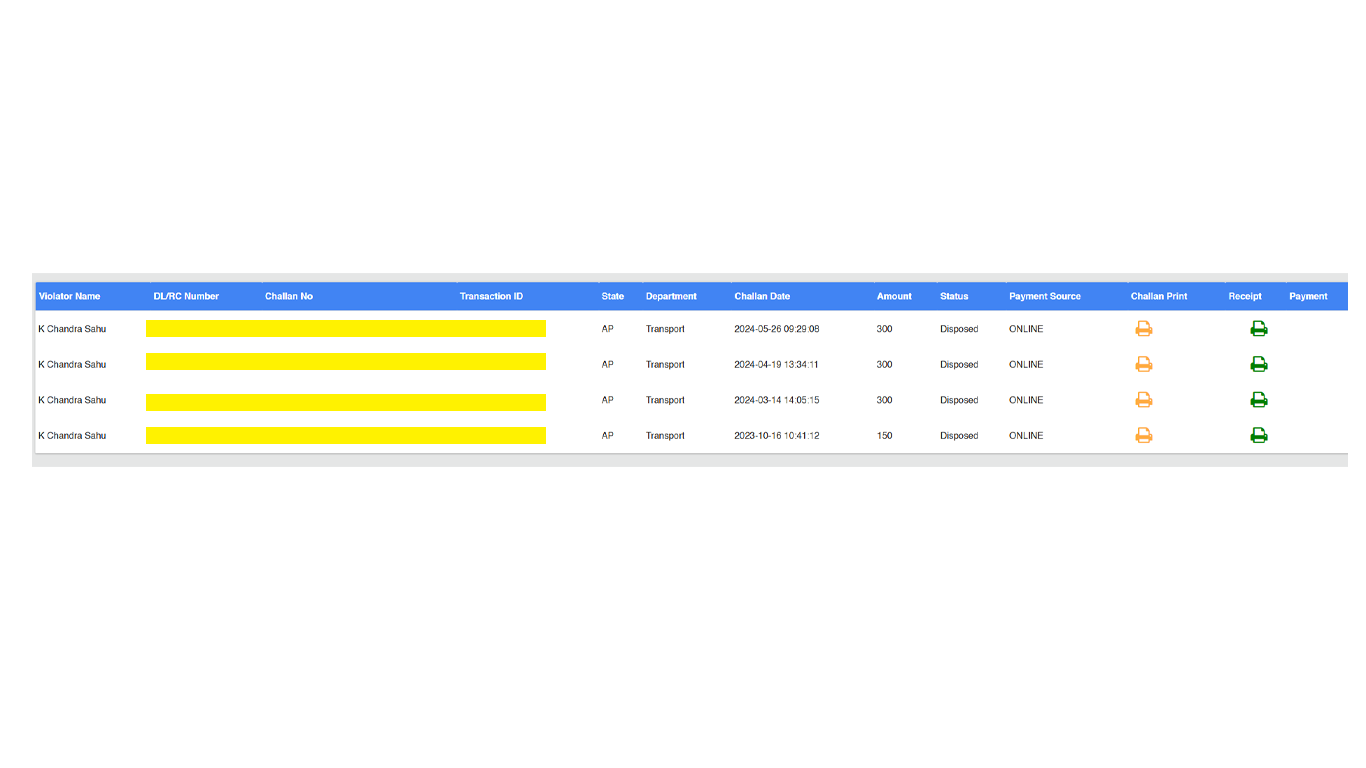
and here you can see I’ve cleared all the due of challans and paid them, without paying any extra cost.
So what’s my suggestion?
Go with Vehicle info, if you’re paying from a mobile device or need to pay and complete the things faster without any headache of bad user experience or getting stuck in between, it’s simple and straight forward but comes with a cost.
But if you’re tech savvy like me and have bigger screens like desktop or laptop then login to the portal and pay there by following the instructions, it’s much older system, but it works!
If you have any doubts, feel free to ask in the comments section below.
Cheers!