
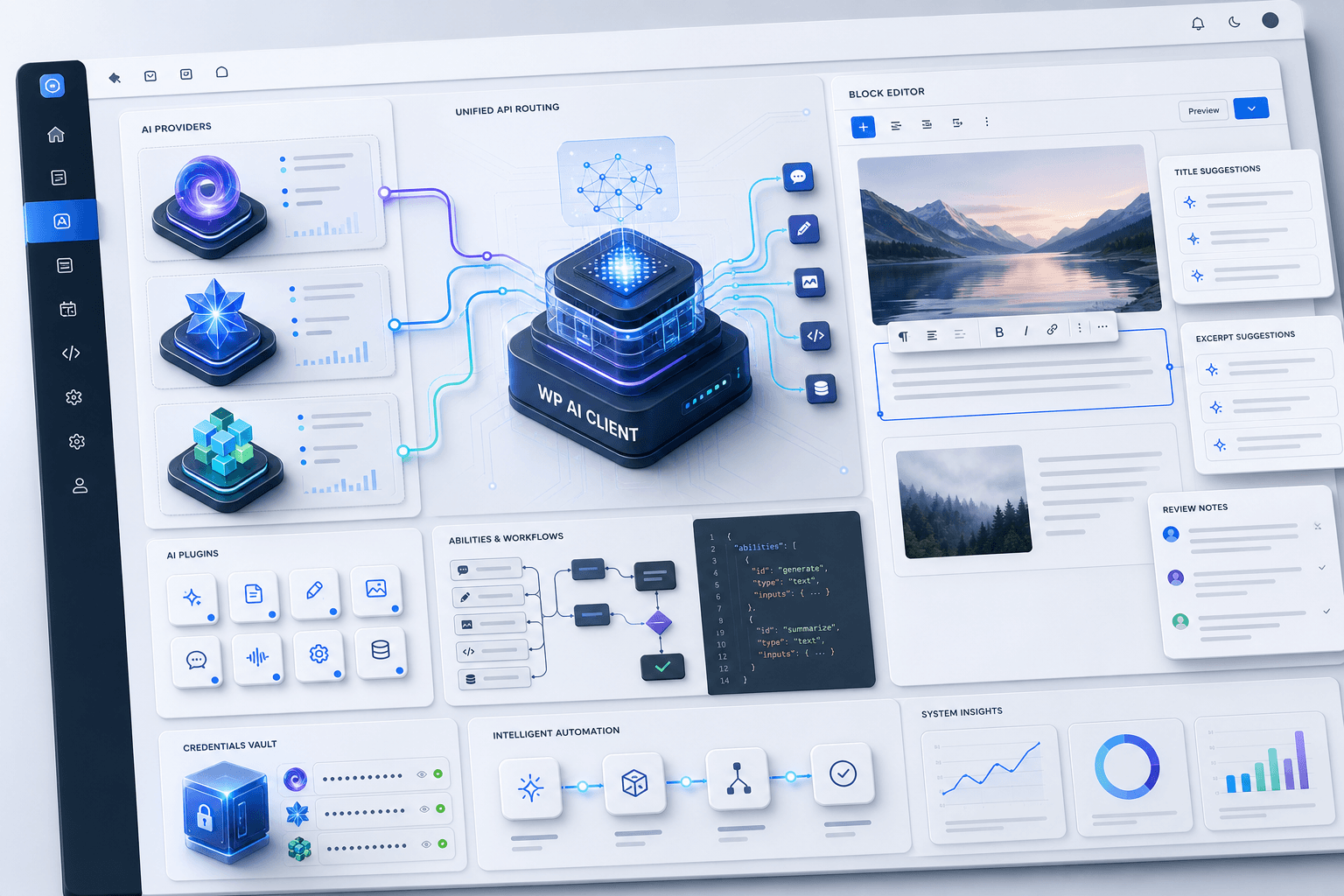
WordPress 7.0 “Armstrong” is presented as a major architectural update that shifts WordPress toward an AI-native platform. The release centers on core infrastructure rather than surface-level features, with a unified system for AI requests, credentials, and plugin integration.
It introduces a WP AI Client, a centralized Connectors screen for providers such as OpenAI, Anthropic, and Google, and an Abilities API for exposing plugin functions to AI models. The post also highlights editor tools for generating titles and excerpts and for reviewing drafts before publication.
The release of WordPress 7.0 “Armstrong” marks a major shift in web development. Unlike earlier updates that brought incremental Block Editor and performance improvements, 7.0 represents a significant architectural leap. Its defining change is clear: WordPress is no longer just a CMS with AI plugins added on, but a deeply integrated, AI-native web platform.
Instead of introducing superficial features like a standard generative text box, the development team focused entirely on infrastructure. WordPress 7.0 builds a standardized foundation directly into the core code, altering how websites interact with artificial intelligence, handle API keys, and run workflows.
1. The Core Infrastructure: WP AI Client
The backbone of this update is the brand-new WP AI Client, a provider-agnostic framework built directly into WordPress Core. In the past, if a site owner utilized three different AI-powered plugins for SEO, image generation, and content translating, they had to maintain three separate API keys. This practice bloated the backend and fragmented token tracking.
The WP AI Client solves this by centralizing all AI communication through a unified PHP API. Plugins no longer need to write custom integration code for distinct LLMs. Instead, they send a standardized request to the core client, which handles the complex routing, credentials, and error fallbacks seamlessly behind the scenes.
2. Centralized Hub: The AI Connectors Screen
To manage this new infrastructure, WordPress 7.0 introduces a dedicated interface found under Settings > Connectors. Out of the box, this screen supports native connectors for three major artificial intelligence providers:
- OpenAI (ChatGPT)
- Anthropic (Claude)
- Google (Gemini)

Users simply input their API credentials once in this central dashboard. Once authenticated, any compatible third-party plugin or theme can hook directly into these active connections. This completely eliminates provider lock-in and prevents the massive security liability of pasting high-access keys into multiple unverified plugins.
3. Tool Interoperability via the Abilities API
Alongside the backend routing, the integration of the Abilities API stands as a revolutionary shift toward autonomous site management. The Abilities API allows any plugin to register its functions—such as “generate a product coupon,” “triage comment spam,” or “update store inventory”—using a structured JSON schema.
Because this catalogue is exposed directly through the WP AI Client, connected AI models can discover what tools a website possesses and execute complex, multi-step actions safely within predefined boundaries. This transforms AI from a simple writing assistant into an agentic collaborator capable of running automated backend operations.
4. User-Facing Workflow Upgrades
While developers gain massive structural advantages, everyday content creators reap immediate benefits by pairing the core architecture with user-facing tools like the official WordPress AI plugin. Within the block editor, authors can access context-aware Title and Excerpt Generation that analyzes drafts to produce compelling metadata.
Furthermore, the new AI Review Notes feature works like an on-the-fly editorial board. It evaluates drafts for tone consistency, readability scores, and heading structure before publication.
Ultimately, WordPress 7.0 “Armstrong” lays a brilliant blueprint for the next decade of the web, turning standard websites into intelligent, interoperable systems ready for an AI-driven future.